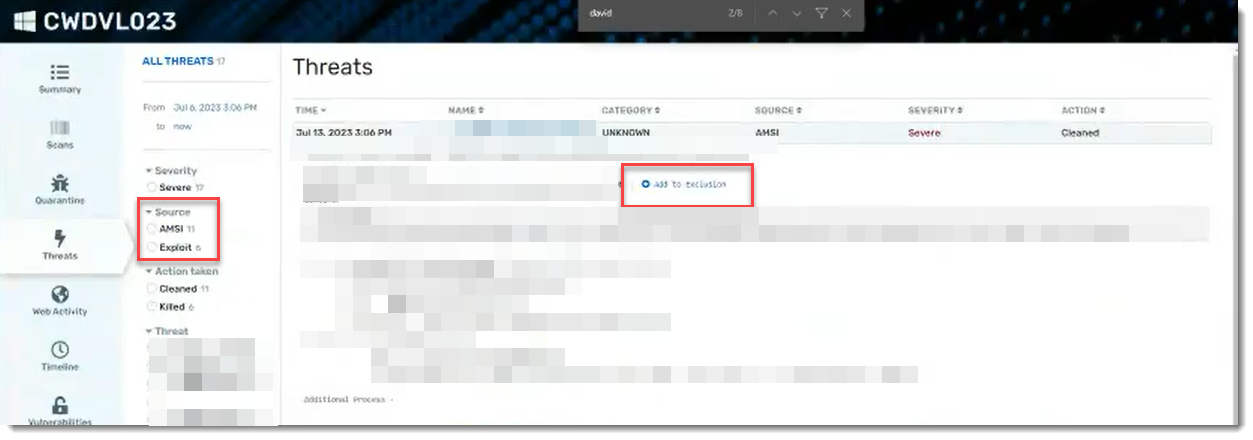
Exploit Protection provides details about potentially malicious processes that were run on your device and block them. Then you can add exclusions as needed.
Exploit Protection is enabled with Terminate selected by default.
To enable Exploit Protection:
- Within your VIPRE Cloud web console, under Manage, select Policies
- Choose the desired policy, then click Active Protection and scroll down until you see Exploit Protection
- Add a checkmark next to Enable detection and blocking of program exploitation attempts and select one of the following actions:
- Allow - detects and reports exploitation attempts but does not block the action
- Block - detects and reports exploitation attempts and blocks the action but does not halt the offending process
- Kill - detects and reports exploitation attempts, blocks the action, and kills the offending process
To view Exploit Protection events:
- Within the VIPRE Cloud web console, under Monitor, select Reports
- Click Threat Summary Report
- Select and click on the name of a threat in the table at the bottom of the page
- Click the device name in the Detections table
- In the light blue side-navigation bar, select Threats
- Filter to choose Exploit then click on a threat to show the details
- If you want to add an exclusion for a particular threat, click the Add to Exclusion link